For Frigate users
Frigate on the big screen, done right.
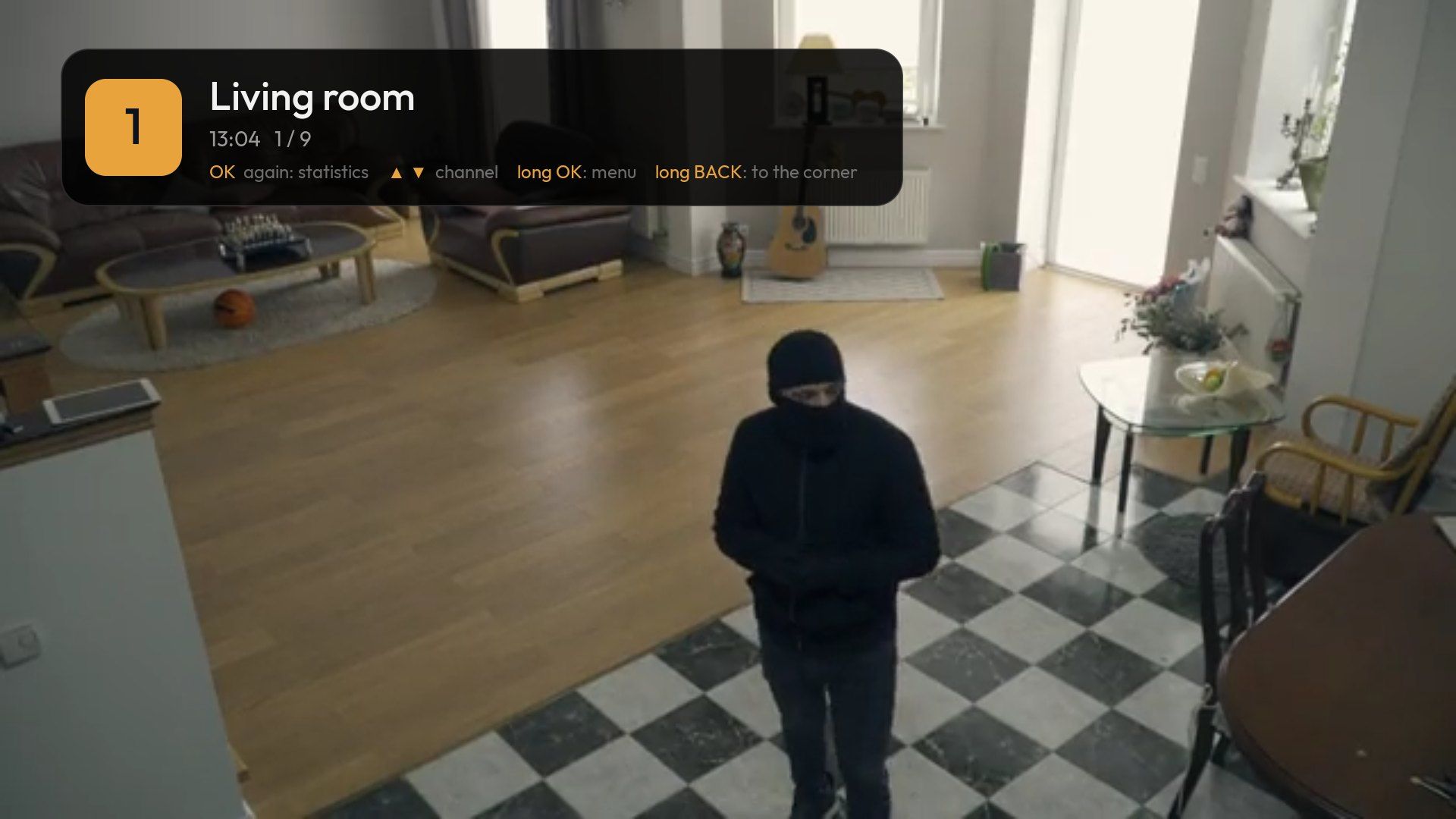
Frigate is a great NVR. Crow’s Nest gives it a TV: cameras as channels, events on the remote, alerts over the movie – all local, straight from your server.
01
HD via go2rtc, without the wait
Live video comes from the go2rtc RTSP restream (port 8554) into a dedicated player with hardware decoding. Sharp HD typically arrives within 1–2 s, and neighboring channels are already connected.
- HD and SD from live.streamsThe first stream is HD for full screen, the second is SD for the grid.
- No go2rtc account?It still works via Frigate’s MJPEG – slower, but nothing extra to set up.
- Port 5000 or 8971The internal unauthenticated API, or sign in with a Frigate user; self-signed certificates supported.
02
Events and Timeline
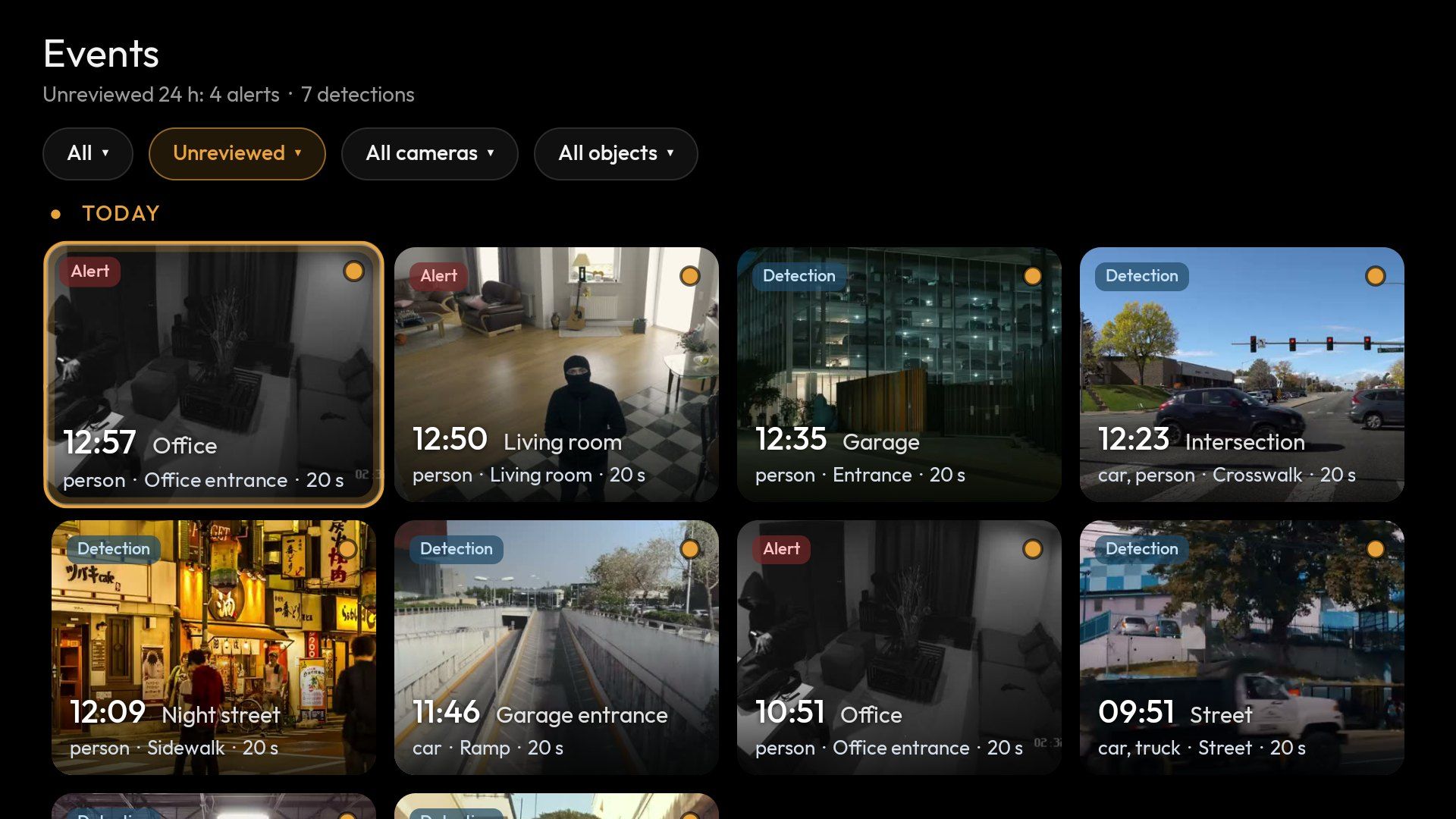
Alerts and detections with thumbnails, by day and camera. Items you review are marked as reviewed in Frigate too.
- FiltersObject (person, vehicle, animal…) and zone.
- TimelineThe whole day as a strip with events, zoomable from 24 h to 10 min.
- 7 and 9Jump to the previous or next event without scrubbing.
- 1× to 16×Gapless playback across recording segments.
- Replay the last minuteOne key from live view, then straight back to live.
03
AI on the tiles and over your program
- Live labelsA red box and a label (person, car…) on the tile while Frigate tracks an object.
- Pop-ups over anythingProAn alert appears over Netflix, live TV or YouTube; OK opens the camera.
- Per-camera priority and quiet hoursProOff, normal or high; no pop-ups at night.
- “While you were away”A per-camera summary of events when you’re back after 20+ minutes.
04
PTZ from the remote
Long-press OK › Control camera: arrows pan and tilt, CH+ and CH− zoom, keys 1–9 recall presets. Commands go through Frigate (ONVIF in your Frigate config).
05
Stats and system status
For anyone who wants to know what’s happening under the hood.
- Per streamResolution, codec, HW/SW decoder, FPS, bitrate.
- FrigateDetections, connection quality, CPU.
- DetectorInference speed and temperature.
- go2rtcStreams and client count.
- System statusFrigate CPU, detector, disks and this TV device on one screen.
Setup
What your Frigate config needs
HD requires a go2rtc RTSP account. If each camera has a main and a sub stream, list both under live.streams: the first is HD, the second SD.
- Add a
go2rtc.rtspusername and password (example on the right). - On the TV, choose Set up with phone (QR) (on the start screen or in Options) and scan the code.
- Enter your Frigate address (e.g.
http://10.0.0.5:5000) and the go2rtc account. Cameras load automatically.
go2rtc:
  rtsp:
    username: crowsnest
    password: "{FRIGATE_RTSP_PASSWORD}"
  streams:
    entrance:      # main (HD)
      - rtsp://user:pass@10.0.0.11:554/main
    entrance_sd:   # sub (SD)
      - rtsp://user:pass@10.0.0.11:554/sub

cameras:
  entrance:
    live:
      streams:       # 1 = HD, 2 = SD
        HD: entrance
SD: entrance_sdYour Frigate deserves a bigger screen.
The Free edition handles 4 cameras and events from the last 24 hours.