At home
Hikvision, Dahua, Reolink and other cameras or NVRs over RTSP and ONVIF. No extra server required.
FeaturesCamera viewer for Android TV
Press 3. There’s the front door.
Crow’s Nest turns your IP cameras and NVR into channels on your TV. Number keys, CH+ and CH−, and channels typically switch in under a second. Add Frigate and Home Assistant, and doorbell rings and detections pop up over the movie you’re watching.
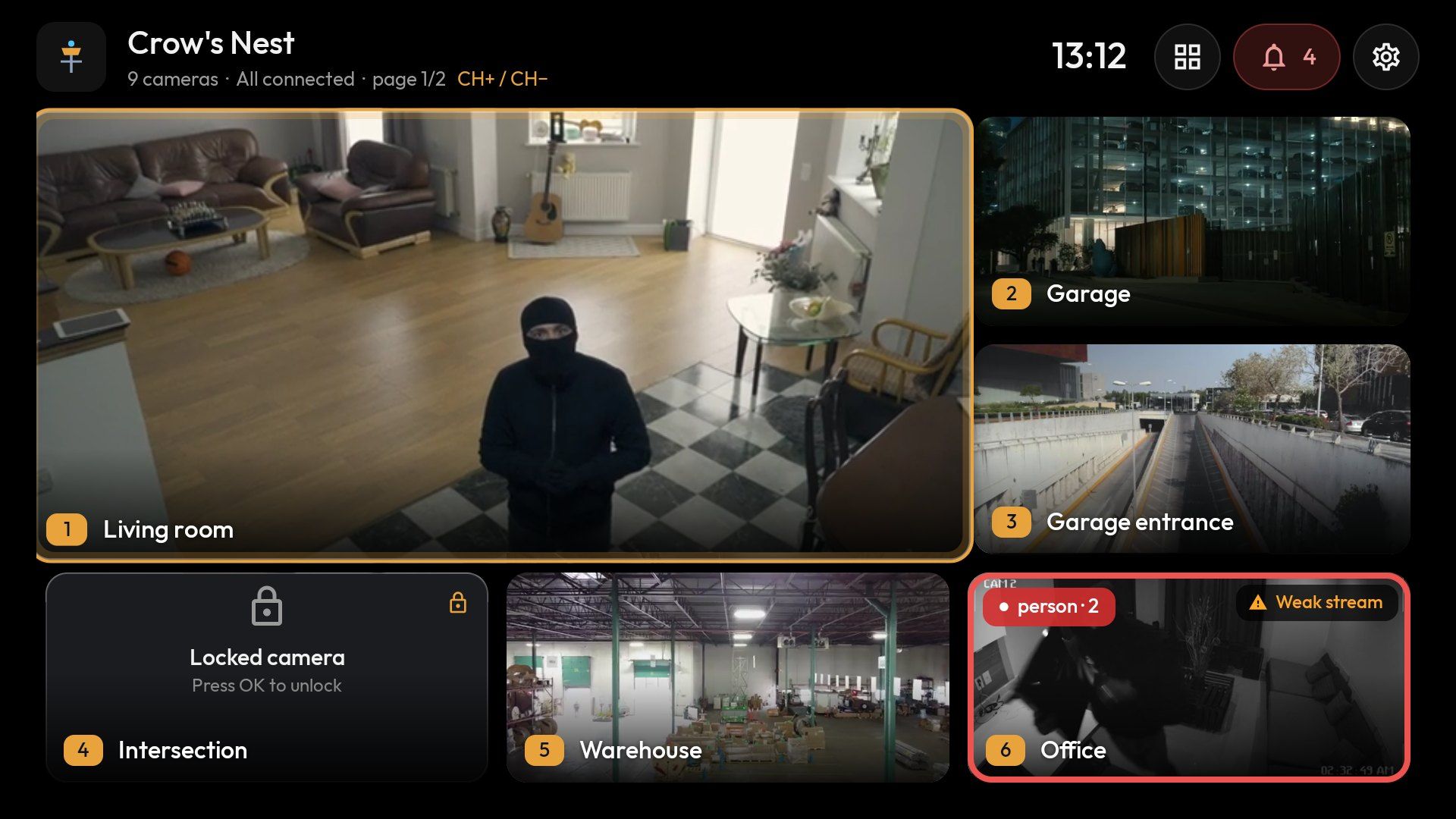
Works with RTSP · ONVIF · Frigate NVR · Home Assistant · H.265 / H.264
Why Crow’s Nest
Every camera gets a number. Press it on the remote and it’s on screen; CH+ and CH− step through the rest. Neighboring cameras stay pre-connected, so a switch typically takes 0.2–1 s.
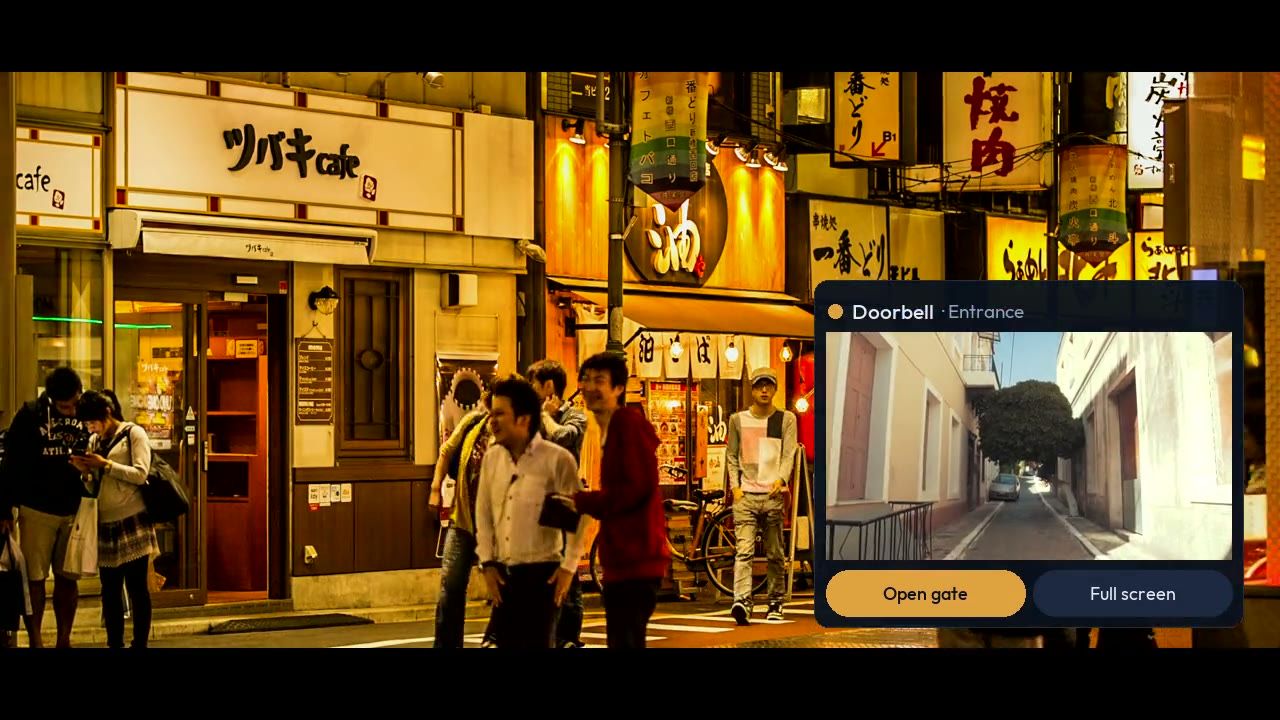
A Frigate alert or a Home Assistant doorbell: a small camera window appears over Netflix, live TV or YouTube. Press OK to go full screen.
Event thumbnails, a full-day timeline, AI labels on live tiles, PTZ. An “Open gate” button right on your remote.
The app talks directly to your cameras and servers. No cloud, no relay, no analytics, no tracking.
Alerts over live TV
No hunting for your phone, no pausing the film. When Home Assistant reports the doorbell or Frigate spots a person, the camera pops up in the corner, with the title and sound you chose.
Pop-ups work with Frigate cameras and, through Home Assistant, with RTSP cameras; the Pro edition is required.
A few minutes
Grab the APK with the Downloader app or a USB stick (coming soon to Google Play too). Runs on Android TV and Android boxes with Android 8.0 or later.
No typing with the remote: your phone opens a page served by the TV itself, where you add cameras, Frigate and Home Assistant.
The wizard checks your streams, measures how many your TV can decode and suggests a layout. The rest is the remote.
No cameras at hand? Turn on demo mode: 9 sample channels and events, no internet needed.
Features
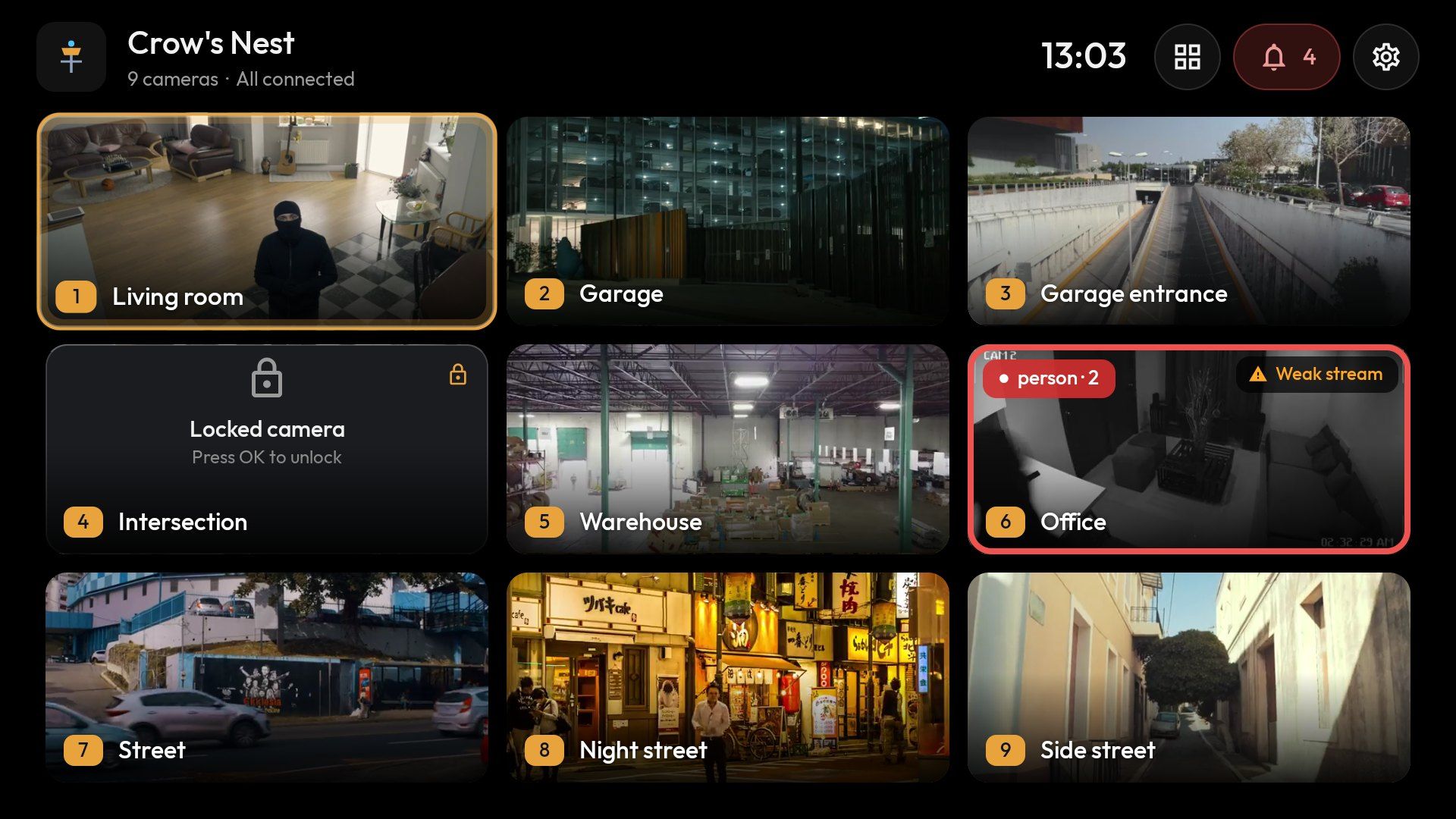
2×2 up to 4×4 with pages, or 1+3, 1+5, 1+7 with a large HD tile.
A purpose-built RTSP player with hardware decoding: picture immediately, sharp HD typically within 1–2 s.
Frigate events by day and camera; a full-day timeline you can zoom from 24 h down to 10 min.
A small live Frigate camera that stays on top of your TV program, in any of the four corners.
With Frigate, one key jumps back a minute, then returns to live on its own.
After a dropped connection or frozen picture it reconnects, falling back to a lighter stream if needed.
Who it’s for
Hikvision, Dahua, Reolink and other cameras or NVRs over RTSP and ONVIF. No extra server required.
Featuresgo2rtc HD, events, Timeline, PTZ, detector stats and System status – on the big screen.
For Frigate usersA TV behind the counter or a monitor in the warehouse: camera patrol, PIN lock, multiple devices per license.
Business editionPrivacy
There is no Crow’s Nest cloud for your video to pass through. The TV talks directly to your cameras, Frigate and Home Assistant – just as if it were sitting next to them.
Editions
To try it out
€0forever
For your home
€14.99one-time, no subscriptionWith a launch promotion at first.
For companies
Custom quote
Pro is a one-time payment, no subscription: an in-app purchase in the Google Play version (coming soon), or a license key in the version from this site. Compare editions →
No. Crow’s Nest works with any IP camera or NVR over RTSP and ONVIF. Frigate and Home Assistant add events, recordings and pop-ups, but they’re optional.
Android TV and Android TV boxes running Android 8.0 or later. Tested on Amlogic boxes; a hardware H.265 decoder is recommended.
No. The TV connects directly to the cameras on your network. Internet is only needed for updates and, in the version from this site, to activate your license once.
Yes. The Free edition handles up to 4 cameras, and demo mode shows 9 sample channels and events without a single camera.
In the version from this site, release the license on the old device and activate it on the new one; after a reinstall, restore it with one click. In the Google Play version, Pro stays with your Google account.